The worst build you will ever deploy is not the one that crashes. It is the one that renders perfectly and does absolutely nothing.
Renders perfectly, does nothing
Here is a storefront on two builds. The header, navigation, search box, cart badge and footer are identical and fully functional in both. One of them has no products on it.
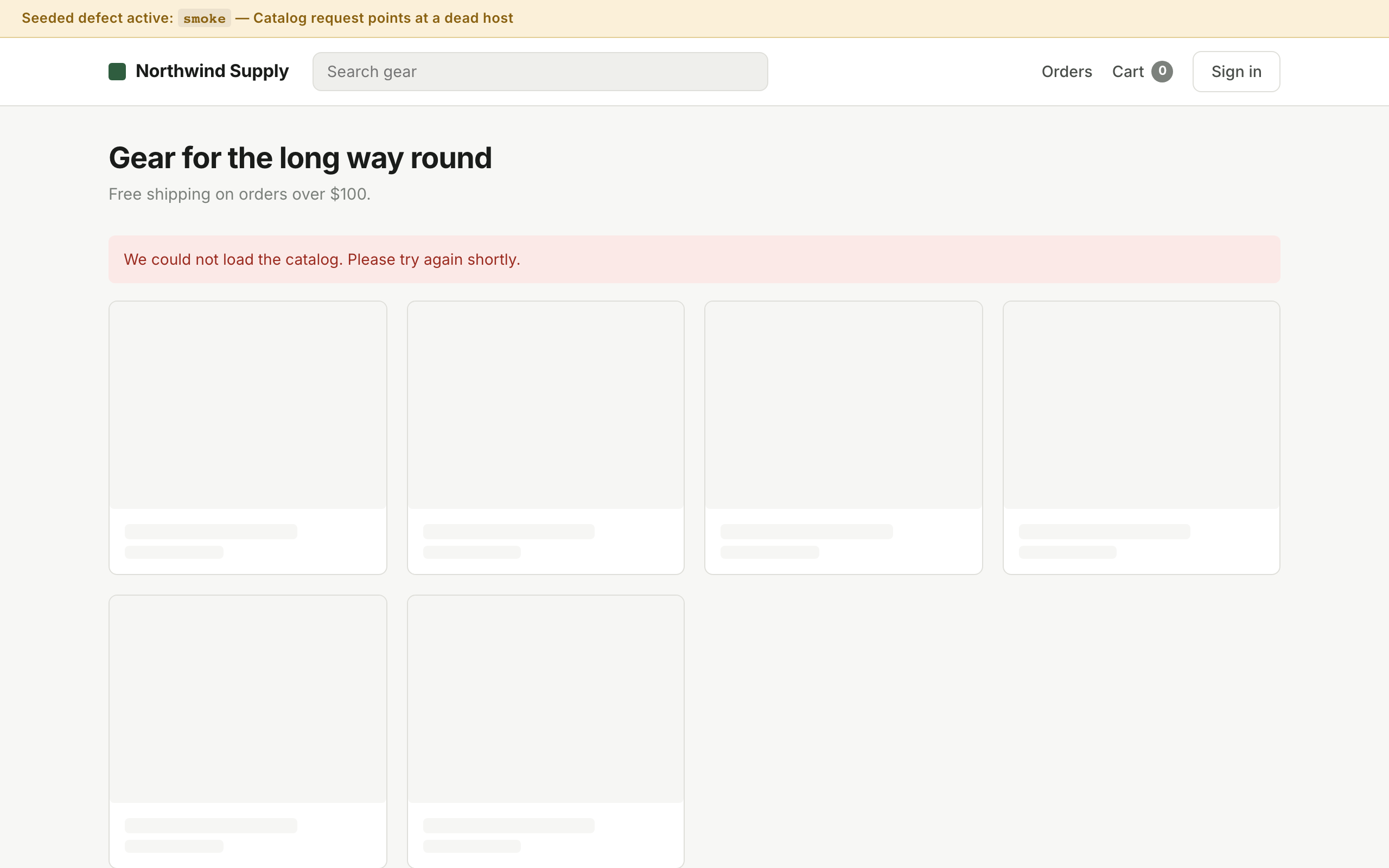
Chrome renders. Catalogue never loads. HTTP 200.
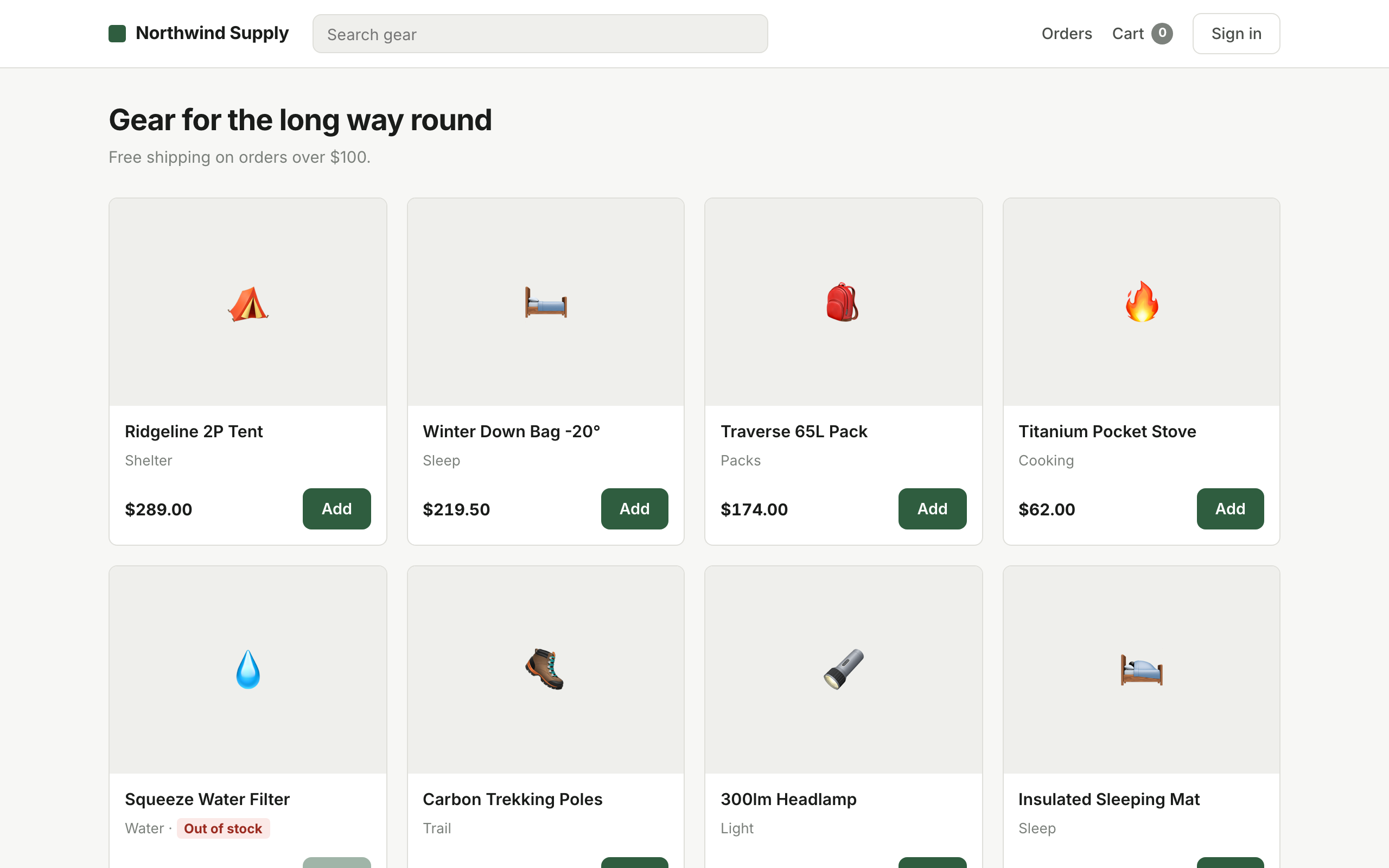
Nine products. The page does its job.
Consider what would have passed this build. The server returned 200. The HTML was well-formed. An uptime monitor would show green. A synthetic check hitting /health would report the service as up. A person glancing at the staging URL would see a page that looks entirely normal.
Only something that looked for products would have caught it. That is the entire job description of a smoke test.
What smoke testing is
Smoke testing is a shallow, wide check that a build is stable enough to be worth testing further. It touches each critical path once and deliberately verifies nothing in depth.
The name comes from hardware. You power on a newly assembled board, and if no smoke comes out, it is safe to start testing properly. That framing is worth keeping, because it tells you exactly what a smoke test is for: it is not a quality bar, it is a viability gate.
The rule that makes smoke tests useful: assert on the thing the page exists to do, not on the page existing. “Responds with 200” is monitoring. “Shows at least six products” is a smoke test.
The gate in action
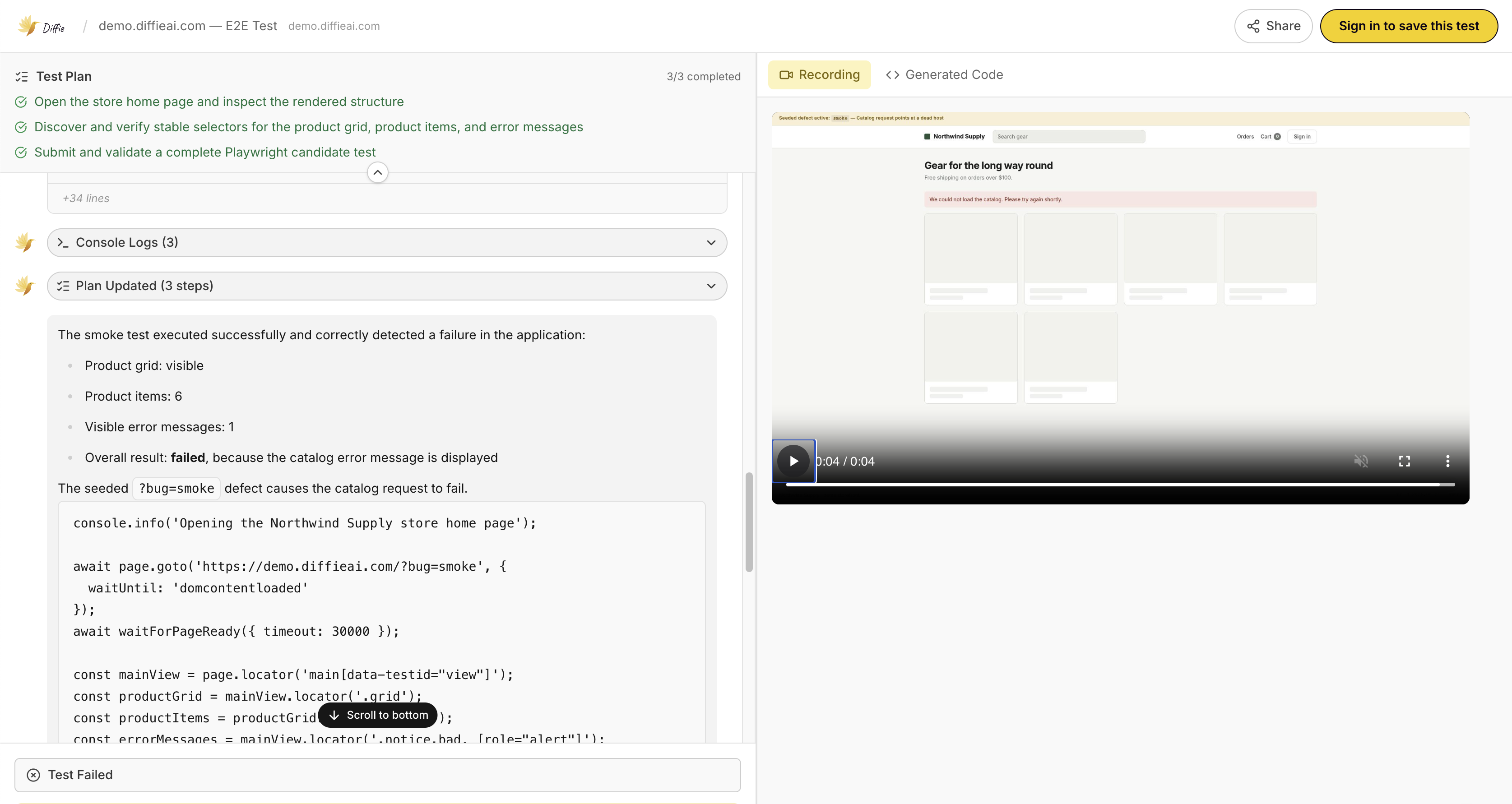
Three lines of plain English, pointed at the broken build. This is the whole specification — and the whole run.
1. Open the store home page 2. Verify the product grid is visible and contains at least six products 3. Verify no error message is shown on the page
The agent explored the page, resolved stable selectors for the product grid and error region itself, and reported the grid empty with an error banner present. It took 112 seconds end to end, including writing the Playwright candidate. The replay shows the skeleton placeholders where nine products should be.
What belongs in a smoke test
A smoke suite should be short enough that nobody is ever tempted to skip it. For most web applications that is five to ten checks:
- The app loads. Not a health endpoint — the actual page a user hits, rendered in a real browser with JavaScript running.
- Primary content appears. Products, posts, dashboard widgets — whatever the page exists to show. Assert on a count, not on a single element.
- Authentication works. One sign-in with a known-good account. Nothing else — not password reset, not validation messages.
- The primary action is reachable. Add to cart, create a document, start a session. One click deep, no completion required.
- No error state on screen. Explicitly assert the absence of your error component.
- Critical integrations respond. A single call to each third party you cannot function without.
What to keep out
Smoke suites rot by accretion. Someone adds one more assertion after an incident, then another, and eighteen months later the “smoke test” takes nine minutes and fails twice a week for reasons nobody investigates.
- Business rules and calculations — discounts, tax, thresholds. That is regression testing.
- Form validation and error message wording.
- Edge cases, empty states, permission boundaries.
- Anything that needs specific seeded data to be true.
- Anything that takes more than a few seconds on its own.
Smoke, sanity, and regression
Smoke vs sanity
Smoke is wide and shallow: touch everything critical, verify nothing deeply, run on every build. Sanity is narrow and deep: a fix landed, so check that one area properly. They answer different questions — “is this build worth testing” versus “did that fix work”.
Smoke vs regression
Smoke runs first and takes seconds. Regression runs after and takes minutes. Smoke asks whether the build is alive; regression asks whether everything that used to work still does. Running regression on a build that would have failed smoke is how teams waste afternoons.
Smoke vs build verification testing
The same thing. BVT is the term you will see in enterprise CI documentation; smoke testing is the older, more common name. If a job description lists both, it lists one practice twice.
When it should run
- After every deploy to any environment, including preview and staging. Deploying to staging without smoke-testing it means discovering the environment is broken when someone else needs it.
- As the first stage of CI, before the slower suites. Fail fast, and do not spend runner minutes on a dead build.
- Immediately after a production release, against production. This is the run that decides whether you roll back.
- On a schedule against production. At that point it is synthetic monitoring, which is smoke testing with a pager attached.
Why this is the first suite worth automating
Smoke tests run more often than any other test you own — every build, every environment, every deploy. That frequency makes the arithmetic obvious: a check run five times a day, run manually, is either not being run or is consuming someone’s entire morning.
It is also the suite where flakiness does the most damage. A regression suite that fails spuriously once a week is annoying. A smoke gate that fails spuriously once a week trains the whole team to deploy through a red build, which removes the only thing the gate was for.
A gate everyone has learned to ignore is worse than no gate, because it still costs you the runner minutes and now costs you the attention too.
This is where writing tests against intent rather than selectors pays off fastest. “The product grid contains at least six products” keeps working through every redesign of that grid. .grid > .card:nth-of-type(6) breaks the first time somebody changes a class name, and takes the team’s trust with it.
Frequently asked questions
What is smoke testing in software testing?
Smoke testing is a shallow, wide check that a build is stable enough to be worth testing further. It touches each critical path once — can the app load, can a user sign in, does the main screen render — without verifying detailed behaviour. It is a gate, not a verdict.
How long should a smoke test take?
Seconds. A well-scoped smoke suite finishes in under a minute, and most finish in under thirty seconds. If yours takes longer than a couple of minutes it has stopped being a smoke test and become a slow regression suite.
What is the difference between smoke testing and sanity testing?
Smoke testing is wide and shallow — it touches every critical area briefly to confirm the build is viable. Sanity testing is narrow and deep — it checks one specific area after a fix or small change. Smoke asks "is this build worth testing"; sanity asks "did that particular fix work".
What is the difference between smoke testing and build verification testing?
They are the same practice under two names. Build verification testing (BVT) is the term more common in enterprise and CI contexts; smoke testing is the older term, borrowed from hardware, where powering on a new board and seeing no smoke meant it was safe to test properly.
Can smoke testing be done manually?
Yes, and for a small team with infrequent releases a written checklist works. But smoke tests run on every build by definition, which makes them the highest-frequency tests you own and therefore the first ones worth automating.
What should a smoke test not do?
It should not verify business rules, edge cases, validation messages, or calculations. Every assertion you add makes the gate slower and more likely to fail for reasons that are not "the build is broken". Depth belongs in the regression suite that runs after smoke passes.